First-time creator
You want to perform a short clip but the lyrics or dialogue are unfamiliar.
Use phrase markers and a quiet rehearsal pass to stay expressive without guessing every syllable.
lip sync for songsPractical tutorial
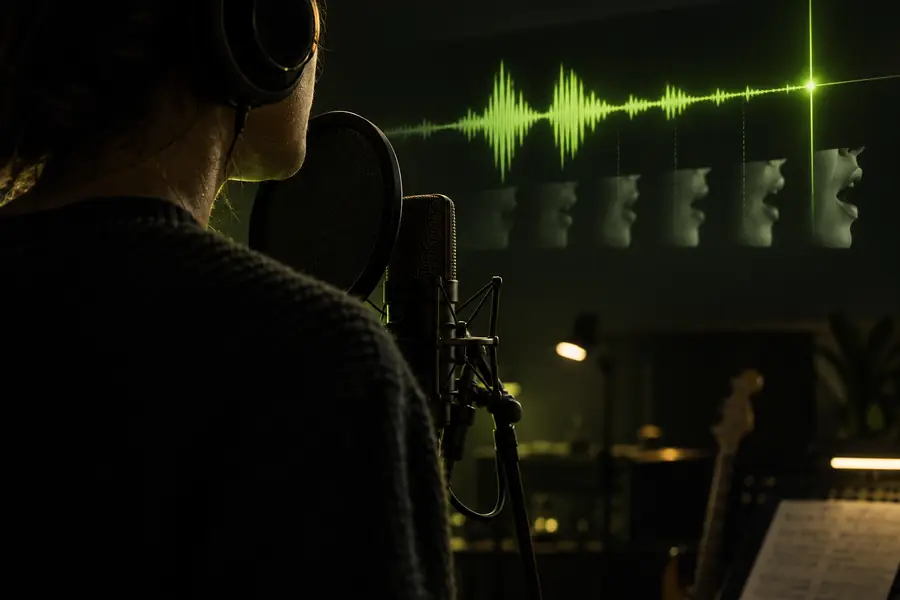
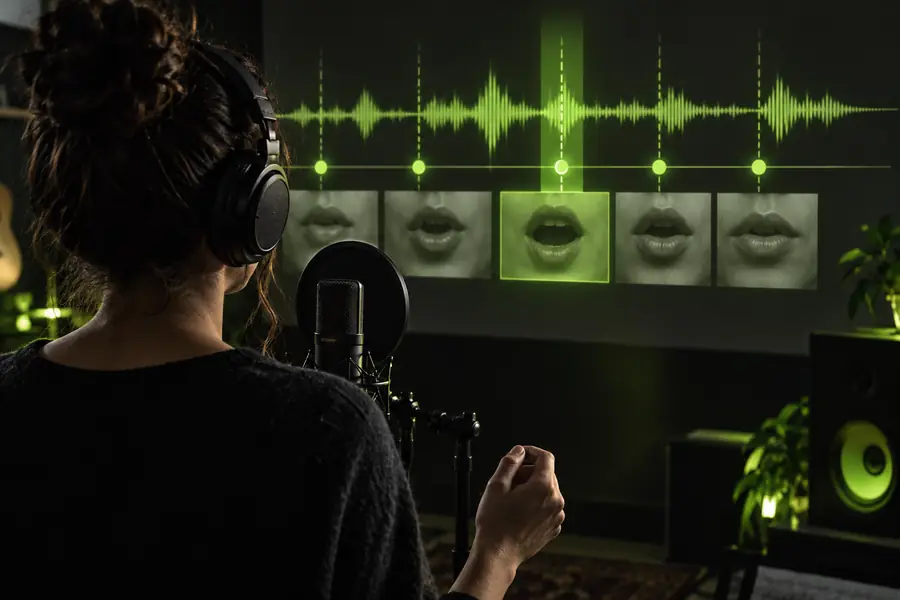
How to lip sync without knowing the words starts with timing, not memorization. Use the audio waveform, visible mouth cues, and short rehearsal passes to make each line look intentional.
You do not need perfect recall, but you do need a clean reference and a way to review timing before you publish.
Lip sync depends on a precise audio source. Guessing the rhythm from memory usually creates drifting mouth movement and late reactions.
WorkaroundKeep the original audio open while rehearsing, or upload it with the visual so every take uses the same timing.
Long hesitations, breaths, laughs, and unfinished words are difficult to fake if you do not know where they occur.
WorkaroundMark pauses on the waveform and use a small head movement or expression change to bridge each gap.
A profile view, blocked mouth, heavy shadow, or rapid camera movement gives the lip sync less visual information to follow.
WorkaroundChoose a front-facing clip with steady framing, even light, and enough mouth visibility for the important lines.
Some sounds are formed inside the mouth or look nearly identical on camera, so visual reading will always be approximate.
WorkaroundPrioritize stressed words, vowels, jaw movement, and the ends of phrases instead of forcing exaggerated mouth shapes.
Break the performance into small timing problems. The goal is to know where each phrase begins and ends, not to memorize every word.
Play the audio three times without performing. Identify the opening beat, stressed words, breaths, pauses, laughs, and final consonants. Add simple markers such as start, hold, and finish.
Cut the track into phrases of roughly one to four seconds. Watch the waveform, listen once, then perform the phrase while focusing on the first sound and the final mouth closure.
Use the speaker’s jaw, lips, eyebrows, and head movement as prompts. Start your reaction slightly before the key word, then let the expression settle as the phrase ends.
Watch the take with sound lowered, then with sound restored. If the mouth arrives late, begin from the breath or jaw preparation rather than speeding up the visible words.
Most weak results come from timing drift or overacting. Compare the two approaches below before recording another full take.
Common mistake
Better adjustment
Common mistake
Begin when the obvious word is heard.
Better adjustment
Begin on the small breath or jaw movement just before it.
Common mistake
Try to remember the entire script at once.
Better adjustment
Work from short phrases and three or four visual markers.
Common mistake
Exaggerate every syllable equally.
Better adjustment
Emphasize stressed sounds and keep connecting movements natural.
Common mistake
Stare at the screen to chase the timing.
Better adjustment
Look toward the intended audience and use peripheral timing cues.
Common mistake
Freeze whenever the audio becomes quiet.
Better adjustment
Hold a believable expression and add a small breath or head shift.
Common mistake
Redo the whole video after one missed word.
Better adjustment
Retake only the short section, keeping the same posture and camera position.
Once the basic timing works, small choices in pacing and expression make a lip sync feel performed rather than traced.
The strongest improvement usually comes from entering on the breath, not from moving the mouth faster.
You want to perform a short clip but the lyrics or dialogue are unfamiliar.
Use phrase markers and a quiet rehearsal pass to stay expressive without guessing every syllable.
lip sync for songsYou have one strong take but need platform-ready timing for a vertical post.
Keep the performance natural, then use a platform-specific workflow to trim pauses and frame the hook.
how to use lip sync on tiktokA voice track is supplied after the visual idea, so the spoken wording is new to you.
Follow breaths, jaw preparation, and phrase endings to create a credible lip sync video without stiff delivery.
lip sync videoYou want help aligning a face or character to audio before making manual refinements.
Start with a clean reference, review the generated result, and correct only the visibly weak transitions.
free ai lip syncYou do not have to know every word before you begin. Give the tool a clear visual and audio reference, then use the result as a focused starting point for your final lip sync.
Create lip syncListen for the beat, breaths, stressed sounds, and phrase endings instead of trying to memorize the whole line. Rehearse in short sections, use the waveform as a timing guide, and watch the speaker’s mouth and jaw for visual cues.
Yes, but begin with several listening passes before recording. Mark the chorus entry, strong beats, repeated phrases, and pauses, then practice one short section at a time so your expression follows the music.
Focus on the start of each phrase, the stressed vowel, the jaw movement, and the closing shape at the end. You do not need to copy every hidden mouth position; believable timing and connected expression matter more.
You may be starting on the obvious word instead of the breath or jaw preparation immediately before it. Move your visible reaction slightly earlier, then compare the take with sound lowered to find where the delay begins.
Avoid exaggerating every sound because it can make the performance look disconnected from the audio. Emphasize only the important beats, vowels, and emotional reactions while keeping transitions relaxed.