Short-form creator
You have a vertical clip and a voiceover that was recorded separately.
Test the timing quickly, then publish a cleaner talking clip. For music-led edits, compare it with lip sync for songs.
lip sync for songsFree lip sync online gives you a straightforward way to match spoken audio or a song to visible mouth movement. Start with a clean source, test a short section, and refine before exporting.
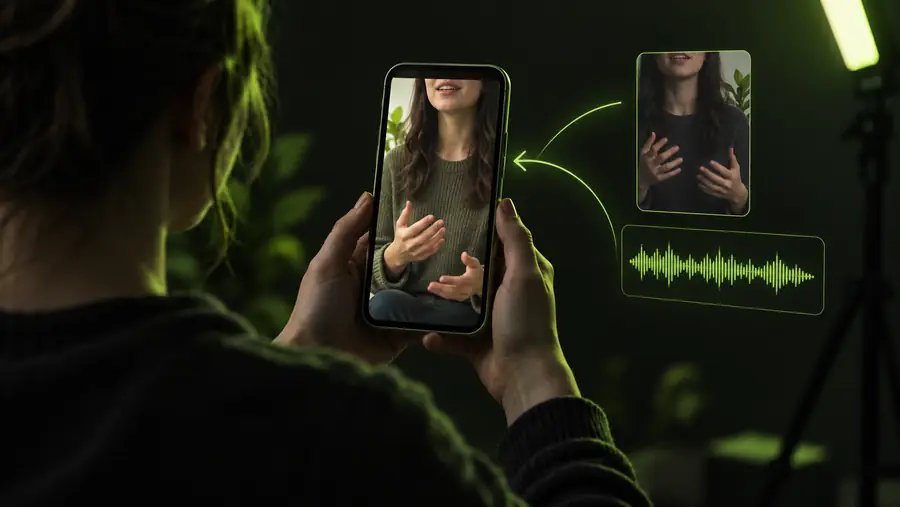
A few simple inputs make the first pass much more reliable.
You have a vertical clip and a voiceover that was recorded separately.
Test the timing quickly, then publish a cleaner talking clip. For music-led edits, compare it with lip sync for songs.
lip sync for songsA presenter’s mouth movement drifts away from the replacement dialogue.
Use a short source segment to identify whether the issue is timing, audio quality, or the footage itself. See is lip sync free for the broader access picture.
is lip sync freeYou want to localize a short explanation without recording the speaker again.
Prepare one clean voice track and check the result sentence by sentence before using it in a longer lesson.
free ai lip syncA still image or simple character needs to deliver a short line.
Keep the wording concise and the audio expressive so the mouth movement has clear timing cues.
free ai lip syncThe workflow is easiest when you validate a small sample before committing to a complete video.
Choose footage with a visible face, steady framing, and enough light to distinguish mouth movement. Trim silence and remove unusable sections first.
Use a clear voice or song segment with limited background noise. Keep the words and the visible performance within the same intended moment.
Watch the first and last lines closely, then check pauses, plosives, and quick consonants. If the result slips, shorten the clip or clean the source.
Choose the nearby workflow that best matches your source and destination.
Online syncing is useful, but it cannot repair every source problem.
Heavy background sound makes speech boundaries harder to detect and can produce uneven mouth timing.
WorkaroundUse a cleaner recording, reduce room noise, or test a shorter voice segment.
A face turned away, covered by an object, or moving rapidly gives the process fewer visible cues.
WorkaroundChoose a front-facing section with stable framing and adequate light.
Extended clips with multiple speakers, singing, and rapid cuts are harder to keep consistent from start to finish.
WorkaroundSplit the project into short scenes and review each transition separately.
A replacement line cannot always follow a performance whose mouth shapes were made for completely different sounds.
WorkaroundKeep the replacement wording close in rhythm, or select footage recorded for the new line.
Use this comparison to decide how much control and preparation your clip needs.
Quick online pass
Careful edited workflow
Quick online pass
Short social clips and first tests
Careful edited workflow
Important scenes and polished releases
Quick online pass
Basic trim and clear audio
Careful edited workflow
Noise cleanup, cuts, and matched takes
Quick online pass
A quick start-and-end check
Careful edited workflow
Line-by-line review across the full clip
Quick online pass
Better when divided into scenes
Careful edited workflow
More suitable for a planned edit
Quick online pass
Fast results with fewer adjustments
Careful edited workflow
More control over timing and transitions
Quick online pass
Less forgiving of weak source material
Careful edited workflow
More preparation before the final export
A short source makes timing problems easier to see and keeps the first pass simple. Once the mouth movement and audio feel aligned, move on to the full edit.
Try a synced clipYou generally need a video or image with a visible face and a voice or song track to match. Clear audio, stable framing, and a short test segment give you the best starting conditions.
Yes, a song can provide the timing track for a performance-style clip. Keep the section manageable and check fast lyrics, breaths, and instrumental gaps because those moments can make alignment less convincing.
Delay usually comes from an offset source, unclear audio, fast movement, or mouth shapes that do not match the replacement words. Trim the beginning, clean the track, and test a shorter front-facing section.
It is usually easier to work in short scenes than to process one long, complicated timeline. Divide the video at natural cuts, review each section, and combine the approved clips in your editor.